
To comply with the CAN-SPAM Act and other email sending requirements, Noptin automatically adds a List-Unsubscribe header to every email it sends.
This header allows email clients (such as Gmail and Apple Mail) to display a one-click unsubscribe button directly in their interface, making it easy for subscribers to opt out without even opening your email.
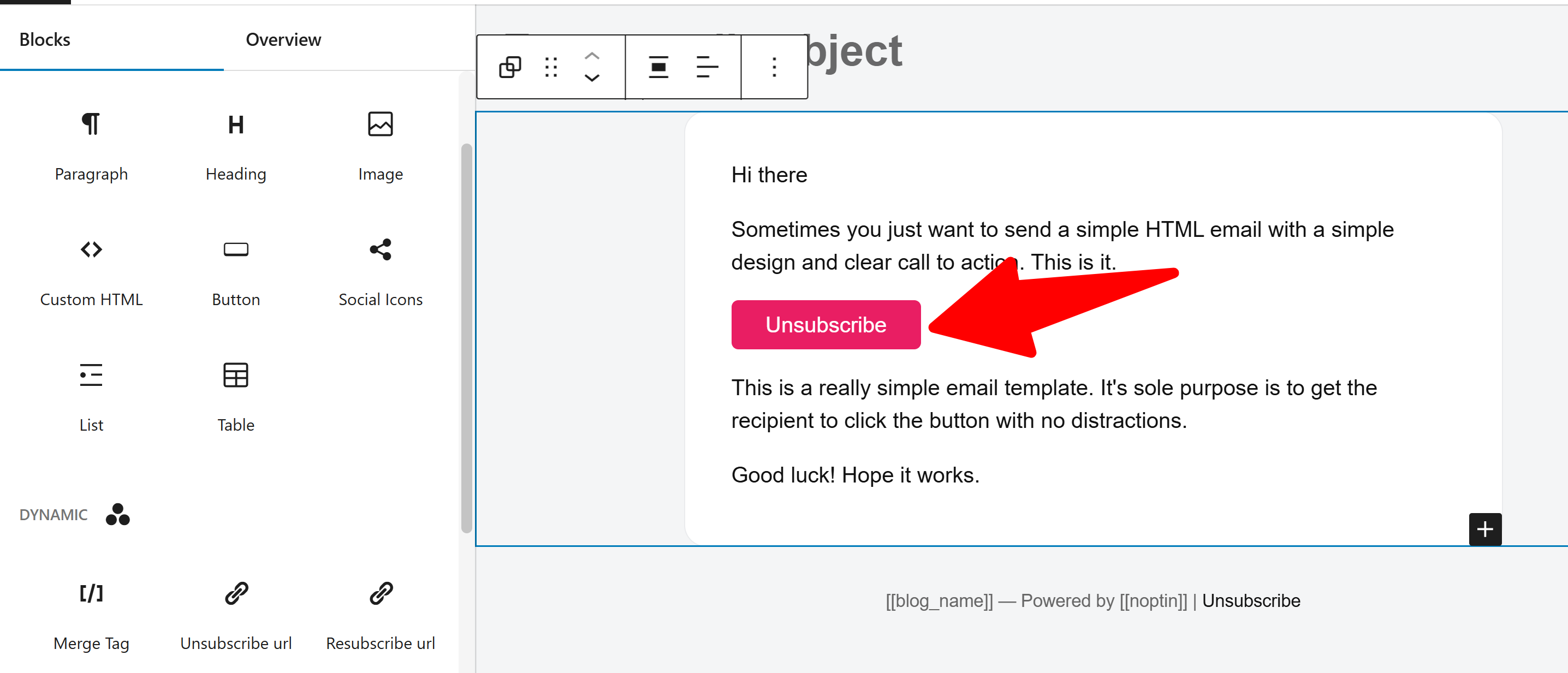
In addition, Noptin lets you include an unsubscribe link directly in your email body using the [[unsubscribe_url]] merge tag.
This tag is included by default in your newsletter’s footer.
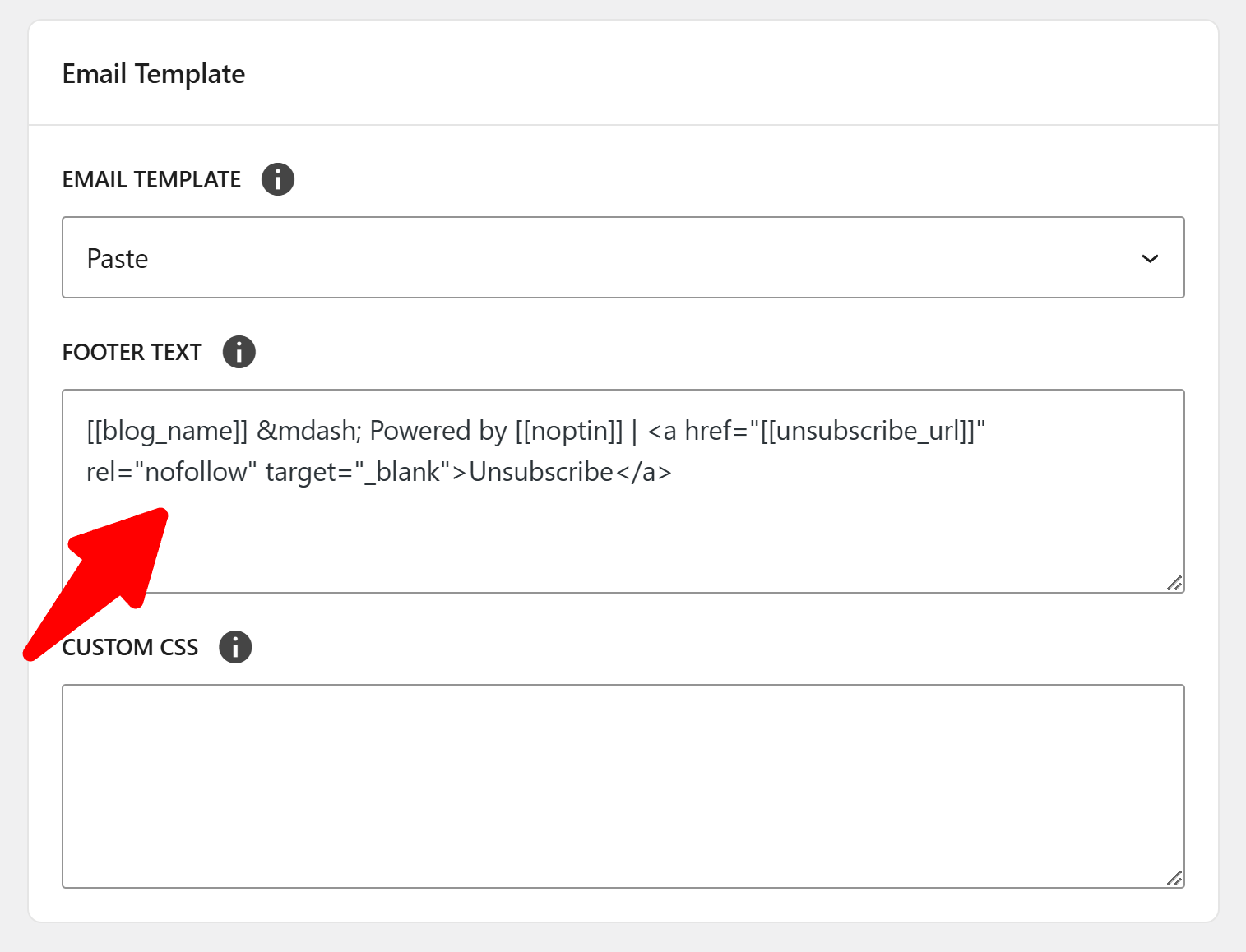
You can, however, add it anywhere in the emails you send.
Customizing your newsletter unsubscription page
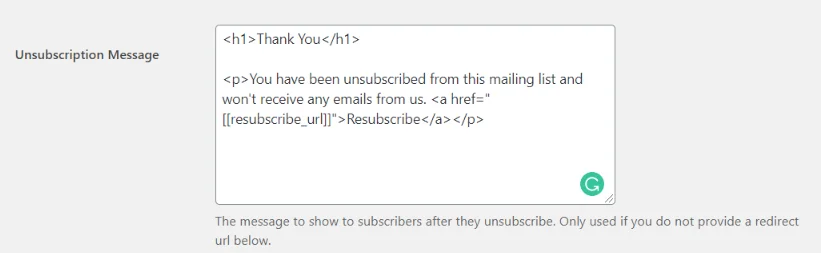
You can change the message shown to a subscriber or redirect them to a completely different page (or website).
To do this:-
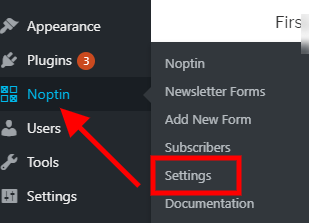
- First, open the Noptin settings page by clicking on Noptin > Settings in your WordPress admin dashboard.

- Next, click on “Messages” to open the message settings tab.


You can either change the subscription message…
… or set a URL to redirect people who unsubscribe from the newsletter.

That way, you can display a survey asking those subscribers why they unsubscribed from your newsletter.
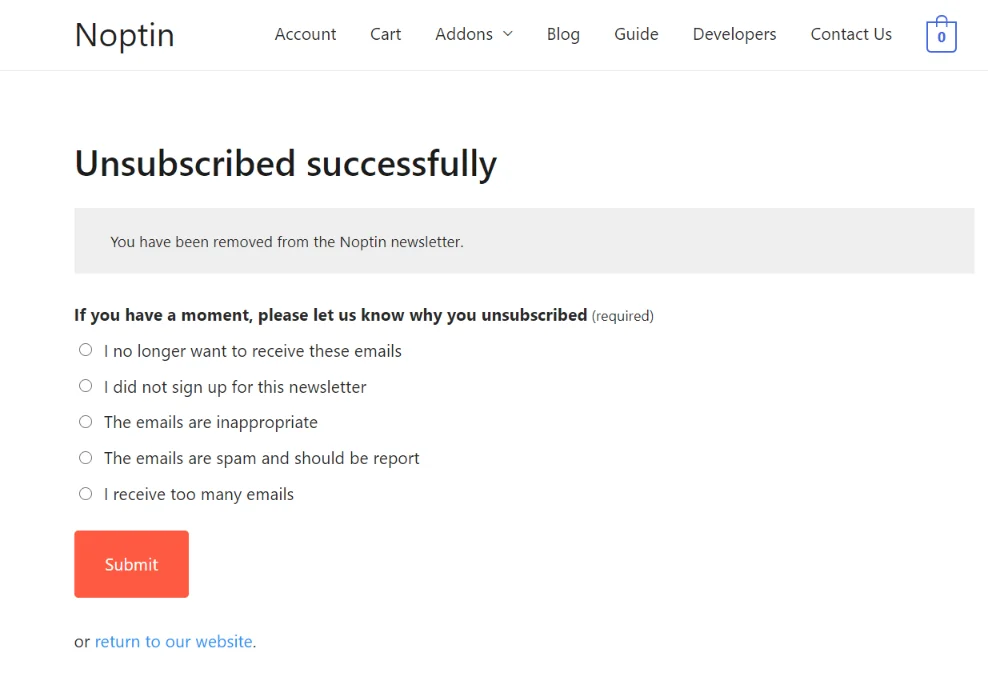
How to automatically delete subscribers after they unsubscribe from your newsletter
You can use automation rules to delete subscribers after they unsubscribe from your newsletter.
To do this:-
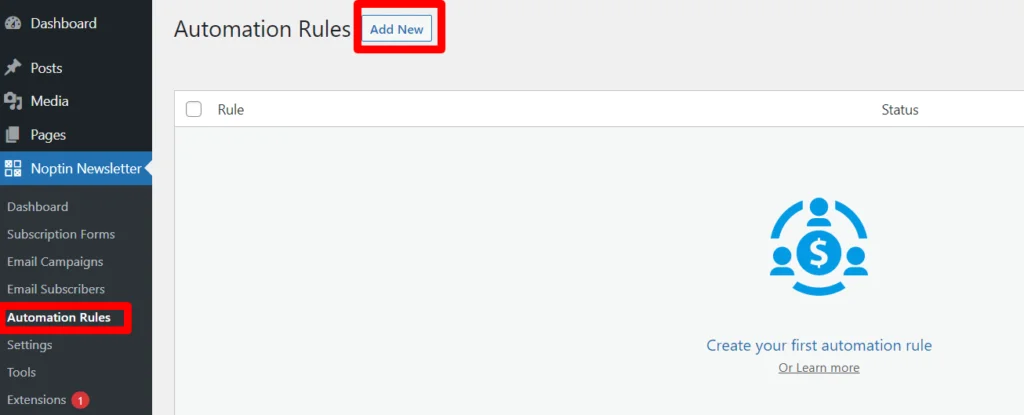
First, click on Noptin > Automation Rules > Add New to create a new automation rule.
Next, select “Subscriber > Unsubscribed” as the trigger and “Subscriber > Delete” as the action, then click on the Continue button.
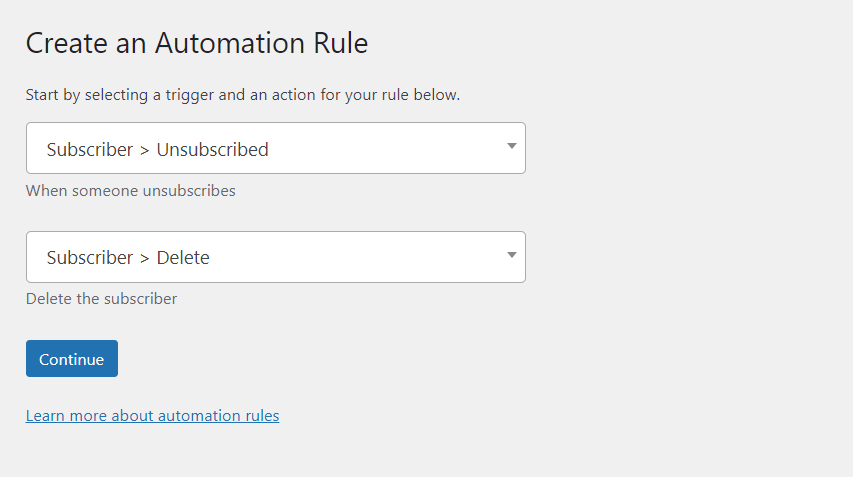
Noptin will open the automation rule’s edit page.

TIP:
You can use conditional logic to conditionally run the automation rule.
Remember to save the automation rule after you’re done.
Giving unsubscribers an option to resubscribe
Someone might click on the newsletter unsubscribe link by mistake.
Luckily, Noptin offers a re-subscription link via the “[[resubscribe_url]]” merge tag.
You can use this tag in your unsubscription success messages and emails.
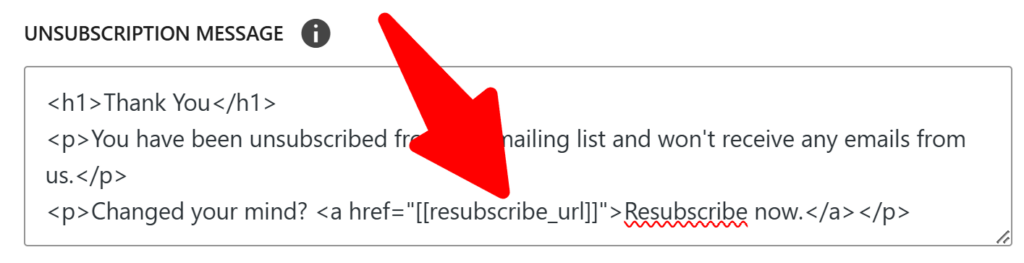
NOTE:
This merge tag will not work if you have enabled the “Delete subscribers” option in the previous option

Leave a Reply