
You can prevent new subscribers from using email addresses from specific domains or top-level domains (TLDs). Use this when unwanted sign-ups repeatedly come from the same email provider or domain ending.
The setting applies wherever Noptin creates a subscriber, including subscription forms, integrations, imports, manual additions, and REST API requests.
Choose the domains or TLDs to block
| Entry | What it blocks | Example result |
|---|---|---|
some-spammer.com | The exact domain and its subdomains | [email protected] and [email protected] |
.xyz or *.xyz | Every email domain using that TLD | [email protected] |
Blocking a TLD affects every email domain that ends with it. Use an exact domain when you only need to stop one provider.
Block new subscriptions from an email domain
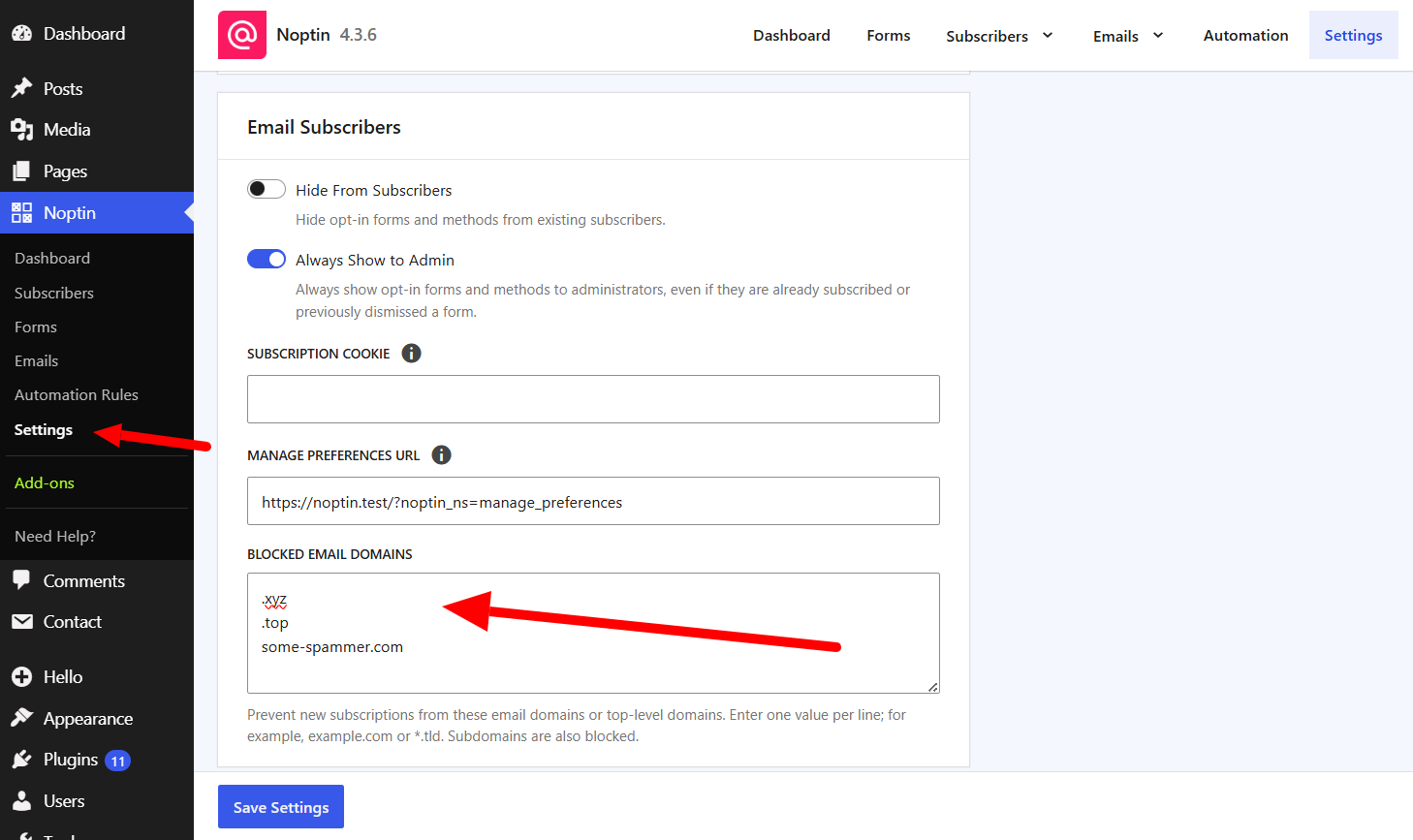
- Open Noptin → Settings in your WordPress dashboard.
- Find the Email Subscribers section.
- In Blocked Email Domains, enter one domain or TLD per line.
- Click Save Settings.
What happens to blocked sign-ups
- Noptin does not create a new subscriber when the email domain matches an entry.
- A full domain entry also blocks its subdomains.
- A TLD entry blocks every email domain that ends with that TLD.
- If someone changes a subscriber’s email address, Noptin rejects the change when the new address uses a blocked domain.
This setting does not remove subscribers who already use a matching domain. To exclude an existing address, block the individual newsletter subscriber.
When domain blocking is not enough
Domain rules are most useful when unwanted sign-ups share a predictable domain or TLD. If bots use many legitimate email providers, follow the guide to prevent spam sign-ups with CAPTCHA or Akismet.
Leave a Reply