
The Purge Old Tasks tool permanently removes old terminal task records. It can delete tasks with the Complete, Failed, or Canceled status.
Open the Purge Old Tasks tool
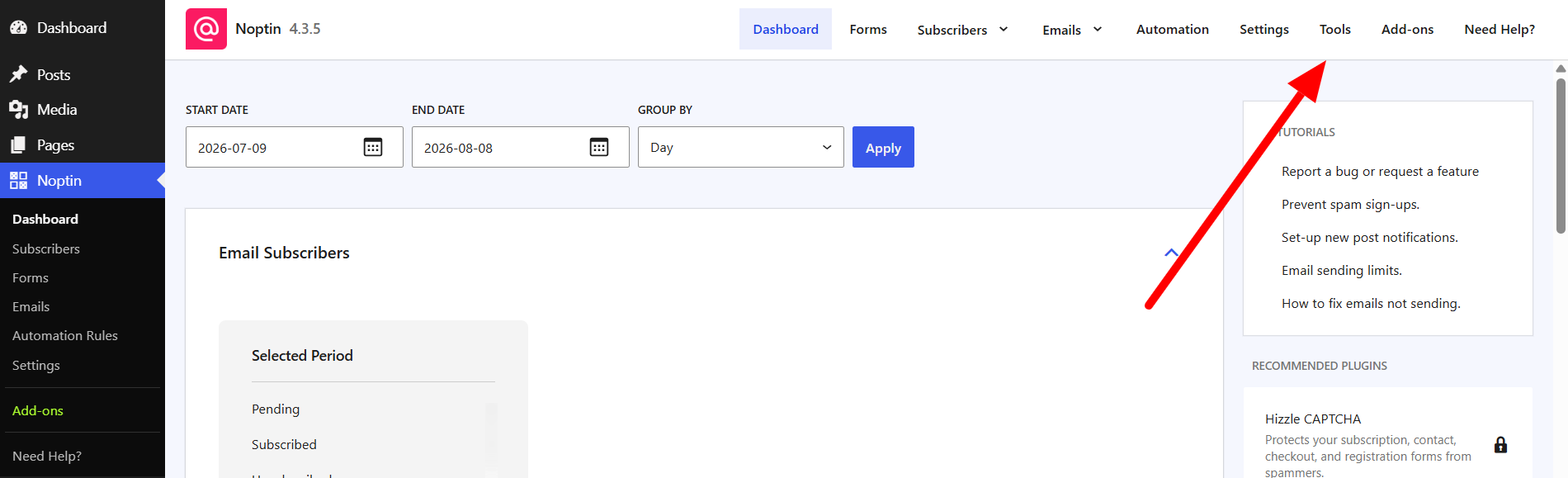
- In the left WordPress admin menu, click Noptin, then open Dashboard.
- Click Tools in Noptin’s top navigation.
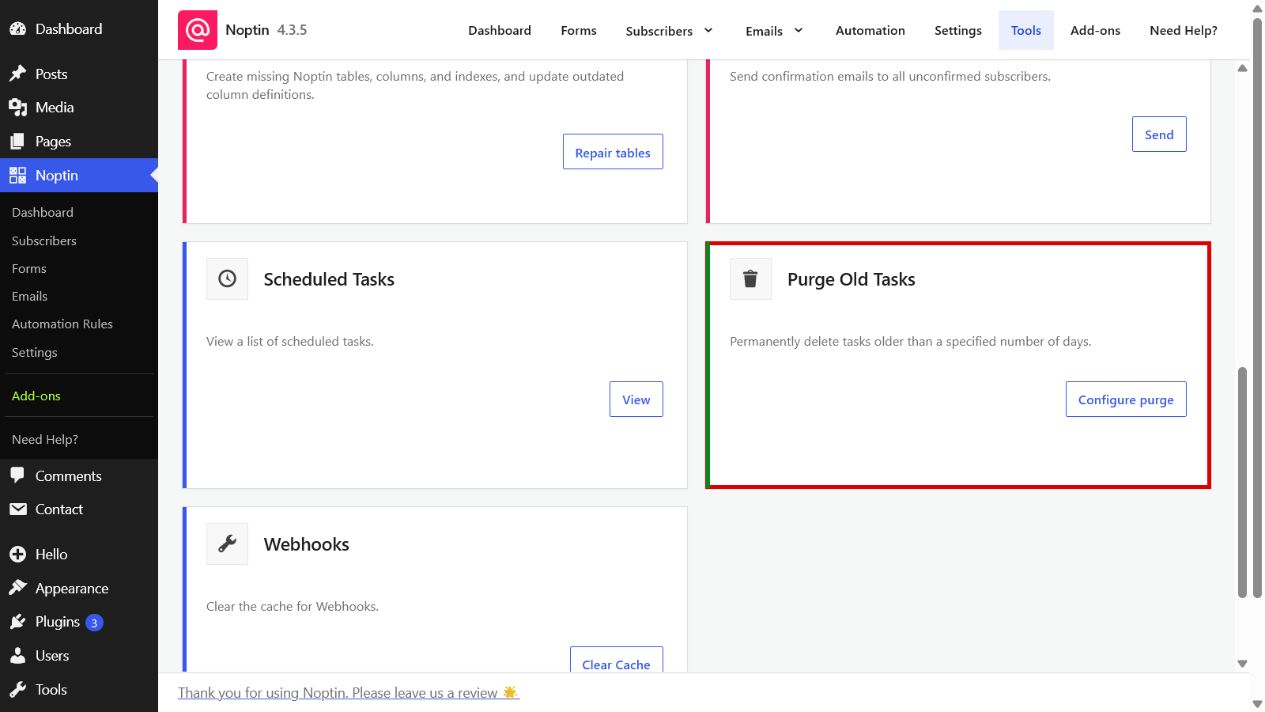
- Find Purge Old Tasks and click Configure purge.
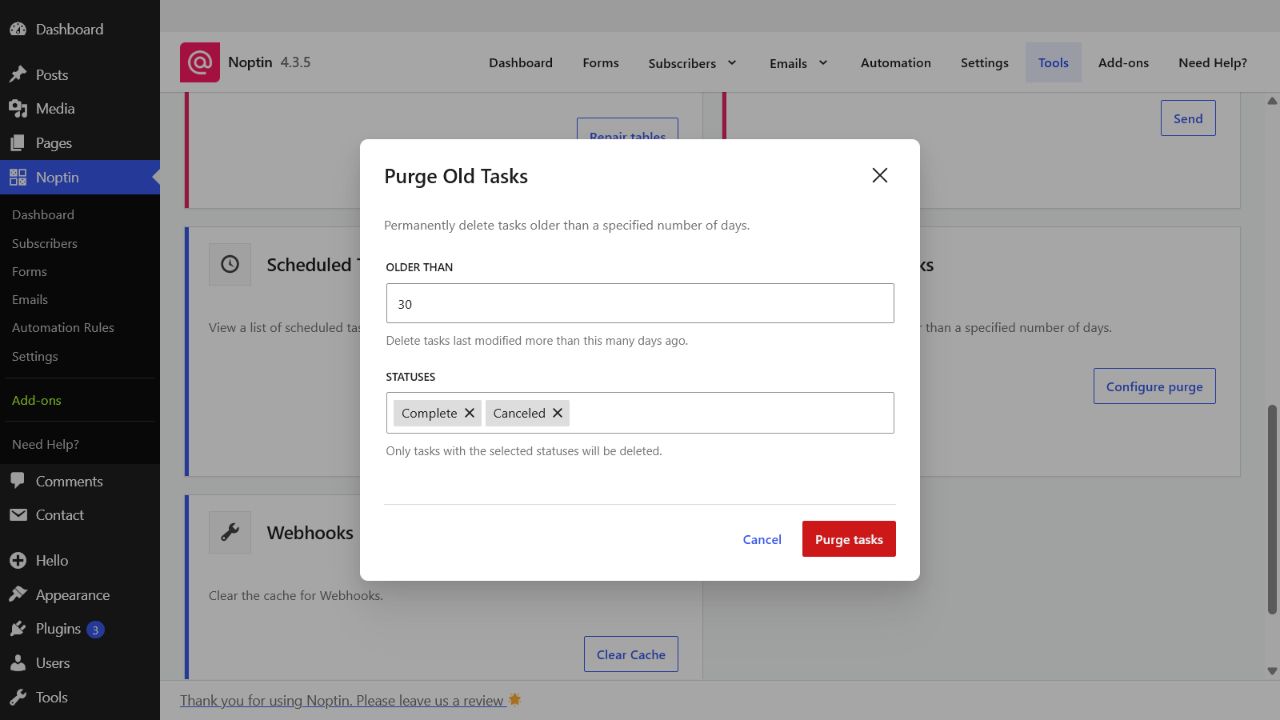
- Enter the number of days to retain. The default is 30 days.
- Select one or more statuses. Complete and Canceled are selected by default.
- Click Purge tasks, then confirm the deletion.
Age is based on the date a task was last modified, not the date it was created or originally scheduled. Active Pending, Running, and Manual tasks cannot be selected.
The result reports how many matching tasks were deleted. This operation cannot be undone, so keep any records needed for troubleshooting before purging them.
Leave a Reply