
Tools

Noptin includes a collection of tools for troubleshooting common problems and performing occasional maintenance. To open them, select Noptin > Dashboard in the WordPress admin menu, then click Tools in Noptin's top navigation.
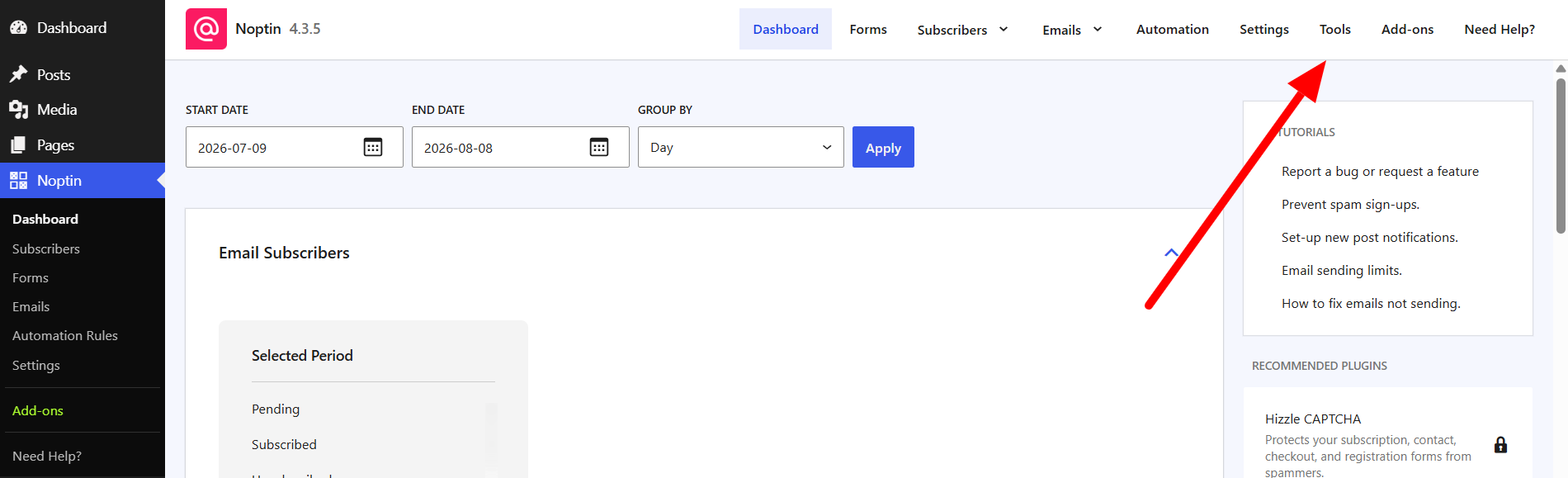
The Tools link in the top navigation of the Noptin dashboard

What you can do from the Tools page

The available tools help you inspect Noptin, test important workflows, and maintain stored data. Depending on your setup, you can:

  • Review the debug log and scheduled tasks.
  • Trigger new-post automations for a specific post.
  • Send confirmation emails to unconfirmed subscribers.
  • Purge old completed, failed, or canceled tasks.
  • Validate and repair Noptin database tables.
  • Reset Noptin data when you need a completely fresh installation.

Before running a tool

Most diagnostic tools are safe to run at any time. Tools that delete data or modify database tables display a confirmation prompt before they run. Create a current database backup before using a repair or reset tool, especially on a production website.

The tools shown on your site may vary when another Noptin extension registers an additional maintenance or integration tool.

  • Debug Log

    Use Noptin’s Debug Log to review recent notices and errors when troubleshooting email, automation, or background-processing problems.

    Read More

  • New Post Automation

    Manually trigger Noptin new-post automations for a specific WordPress post by entering its post ID.

    Read More

  • Reset Noptin

    Learn what the Reset Noptin tool removes and how to prepare before returning Noptin to a fresh installation.

    Read More

  • Validate Database Schema

    Check whether all required Noptin database tables, columns, column definitions, and indexes are present.

    Read More

  • Repair Database Tables

    Repair missing or outdated Noptin database tables, columns, and indexes, then verify the resulting schema.

    Read More

  • Send Confirmation Emails

    Schedule double opt-in confirmation emails for every Noptin subscriber who is still awaiting confirmation.

    Read More

  • Scheduled Tasks

    View and troubleshoot Noptin’s queued, running, completed, failed, canceled, and manually scheduled background tasks.

    Read More

  • Purge Old Tasks

    Permanently remove old completed, failed, or canceled Noptin tasks using a chosen retention period.

    Read More