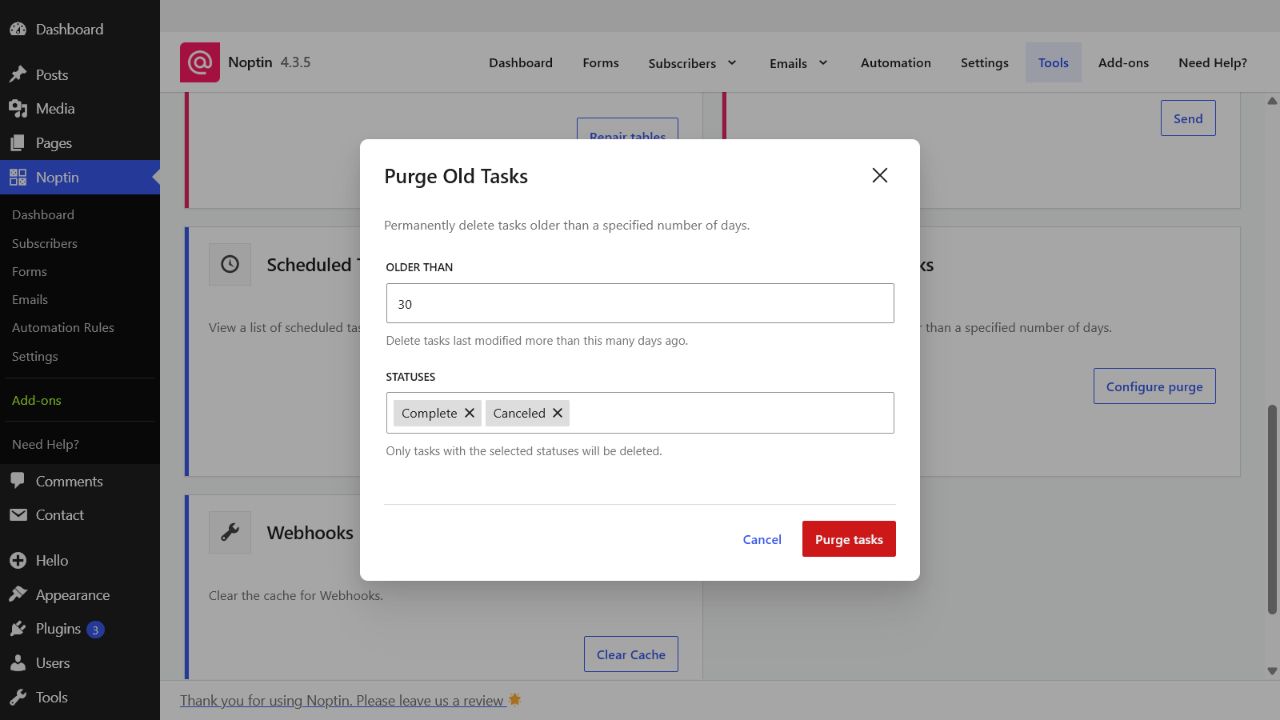
Purge Old Tasks

The Purge Old Tasks tool permanently removes old terminal task records. It can delete tasks with the Complete, Failed, or Canceled status.

Open the Purge Old Tasks tool

  1. In the left WordPress admin menu, click Noptin, then open Dashboard.
  2. Click Tools in Noptin’s top navigation.
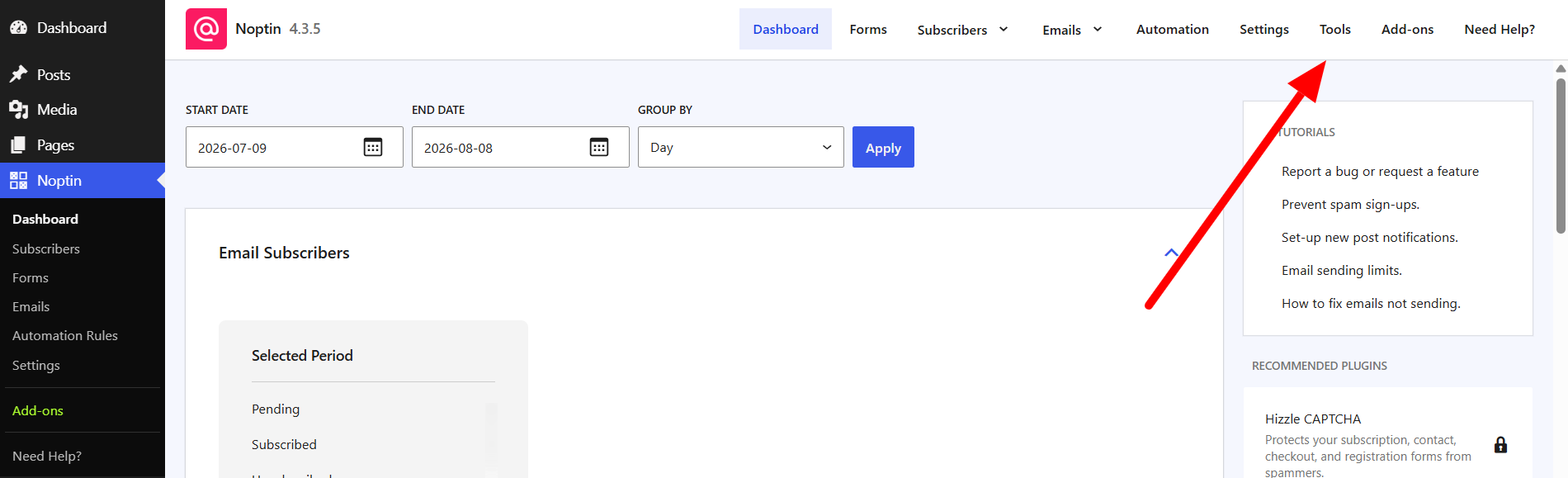
The Tools link in the top navigation of the Noptin dashboard
  1. Find Purge Old Tasks and click Configure purge.
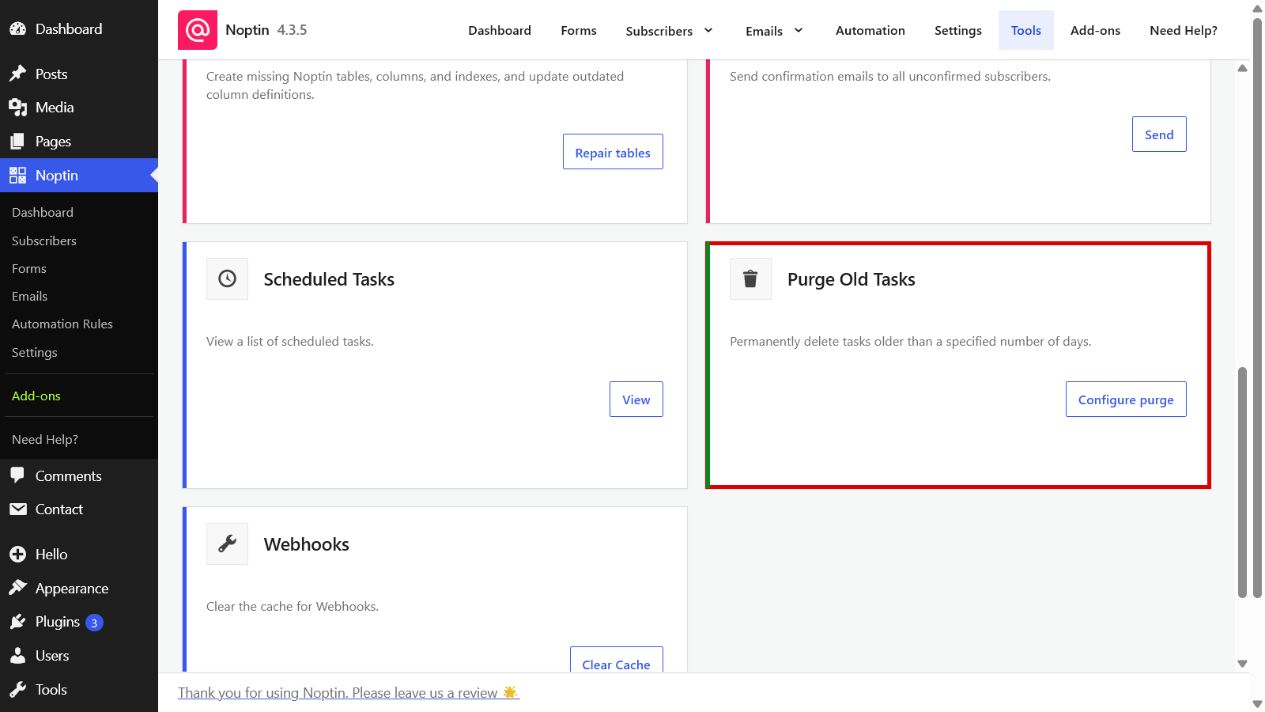
The Purge Old Tasks card highlighted on the Noptin Tools page
The Purge Old Tasks form in Noptin
  1. Enter the number of days to retain. The default is 30 days.
  2. Select one or more statuses. Complete and Canceled are selected by default.
  3. Click Purge tasks, then confirm the deletion.

Age is based on the date a task was last modified, not the date it was created or originally scheduled. Active Pending, Running, and Manual tasks cannot be selected.

The result reports how many matching tasks were deleted. This operation cannot be undone, so keep any records needed for troubleshooting before purging them.

Related Guides

  • Debug Log

    Use Noptin’s Debug Log to review recent notices and errors when troubleshooting email, automation, or background-processing problems.

    Read More

  • New Post Automation

    Manually trigger Noptin new-post automations for a specific WordPress post by entering its post ID.

    Read More

  • Reset Noptin

    Learn what the Reset Noptin tool removes and how to prepare before returning Noptin to a fresh installation.

    Read More

  • Validate Database Schema

    Check whether all required Noptin database tables, columns, column definitions, and indexes are present.

    Read More

  • Repair Database Tables

    Repair missing or outdated Noptin database tables, columns, and indexes, then verify the resulting schema.

    Read More

  • Send Confirmation Emails

    Schedule double opt-in confirmation emails for every Noptin subscriber who is still awaiting confirmation.

    Read More

  • Scheduled Tasks

    View and troubleshoot Noptin’s queued, running, completed, failed, canceled, and manually scheduled background tasks.

    Read More