
Duplicating a subscription form creates a new draft with the same configuration and design. Use it when you want to create a similar form without rebuilding it from scratch.
Duplicate a subscription form
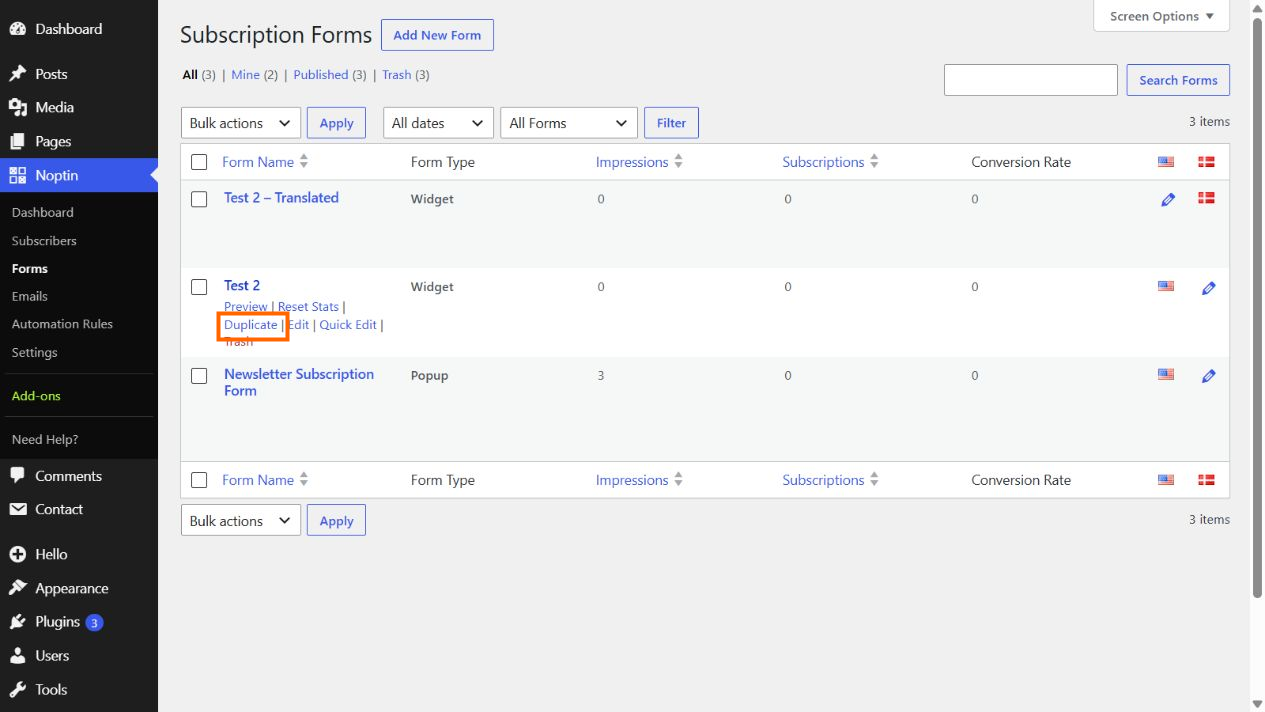
- In the WordPress admin menu, open Noptin → Forms.
- Move your pointer over the name of the form you want to copy.
- Click Duplicate in the row actions below the form name.
Noptin creates a new draft, adds (duplicate) to the form name, and opens the copied form in the editor. The original form is not changed.
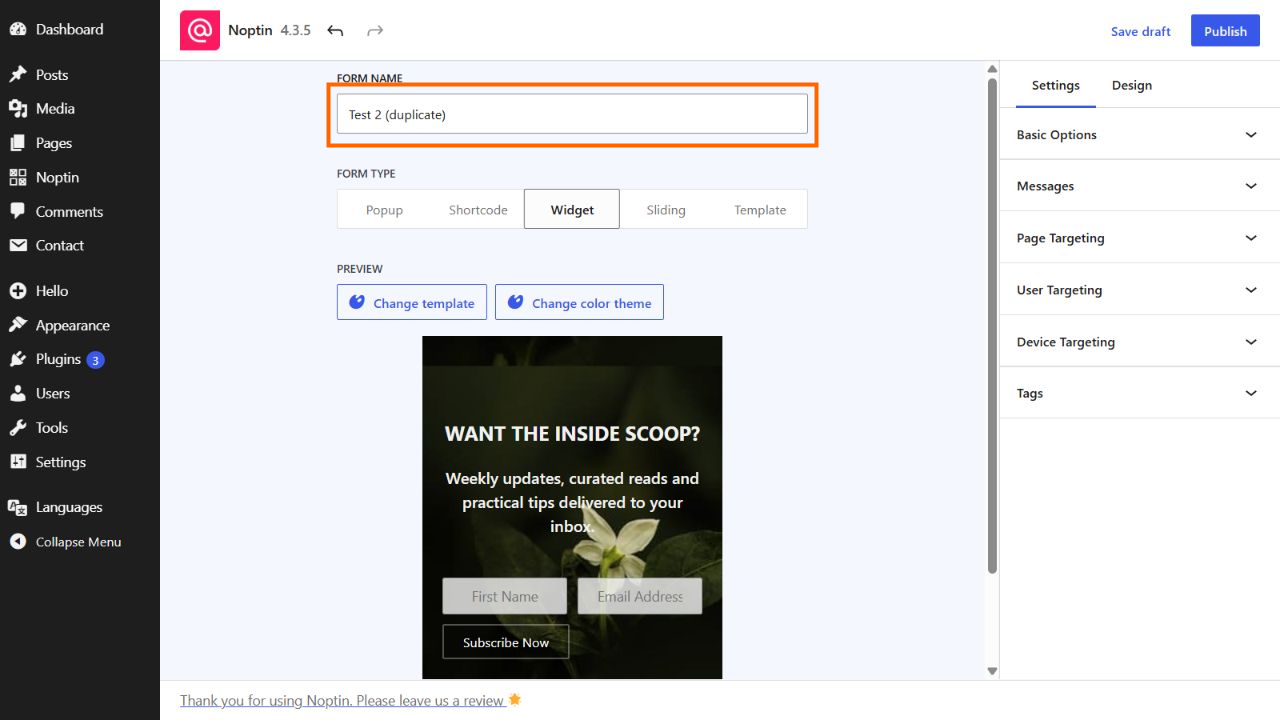
Review the copied form, change its name or settings as needed, then publish it when it is ready to use.
Leave a Reply