
In early 2024, Google and Yahoo implemented strict new requirements for email senders. These aren’t just “best practices” anymore—if you don’t meet these standards, your Noptin newsletters will likely be blocked or sent straight to the spam folder.
While these rules primarily target “bulk senders” (those sending more than 5,000 emails per day), Gmail and Yahoo apply the same logic to all senders to determine if an email is legitimate.
The Three Email Requirements
To make sure your emails arrive in the inbox, you need to follow three important rules for sending emails today.
Requirement 1: Mandatory Email Authentication
You can no longer “hide” who you are. Every email sent from your WordPress site must be authenticated using three specific DNS records. This proves to Google and Yahoo that the email actually came from your domain.
| Record | Use |
|---|---|
| SPF | Defines which servers can send email from your domain. |
| DKIM | Adds a digital signature to confirm the email was not modified. |
| DMARC | Tells providers what to do if SPF or DKIM fails. |
Without authentication, Gmail may reject your emails outright.
Tip:
At a minimum, DMARC must be published with a valid policy (for example, p=none) for monitoring.
If you haven’t set these up yet, follow our guide to email authentication.
Requirement 2: One-Click Unsubscribe
For bulk marketing emails, Gmail and Yahoo now require that users be able to unsubscribe easily.
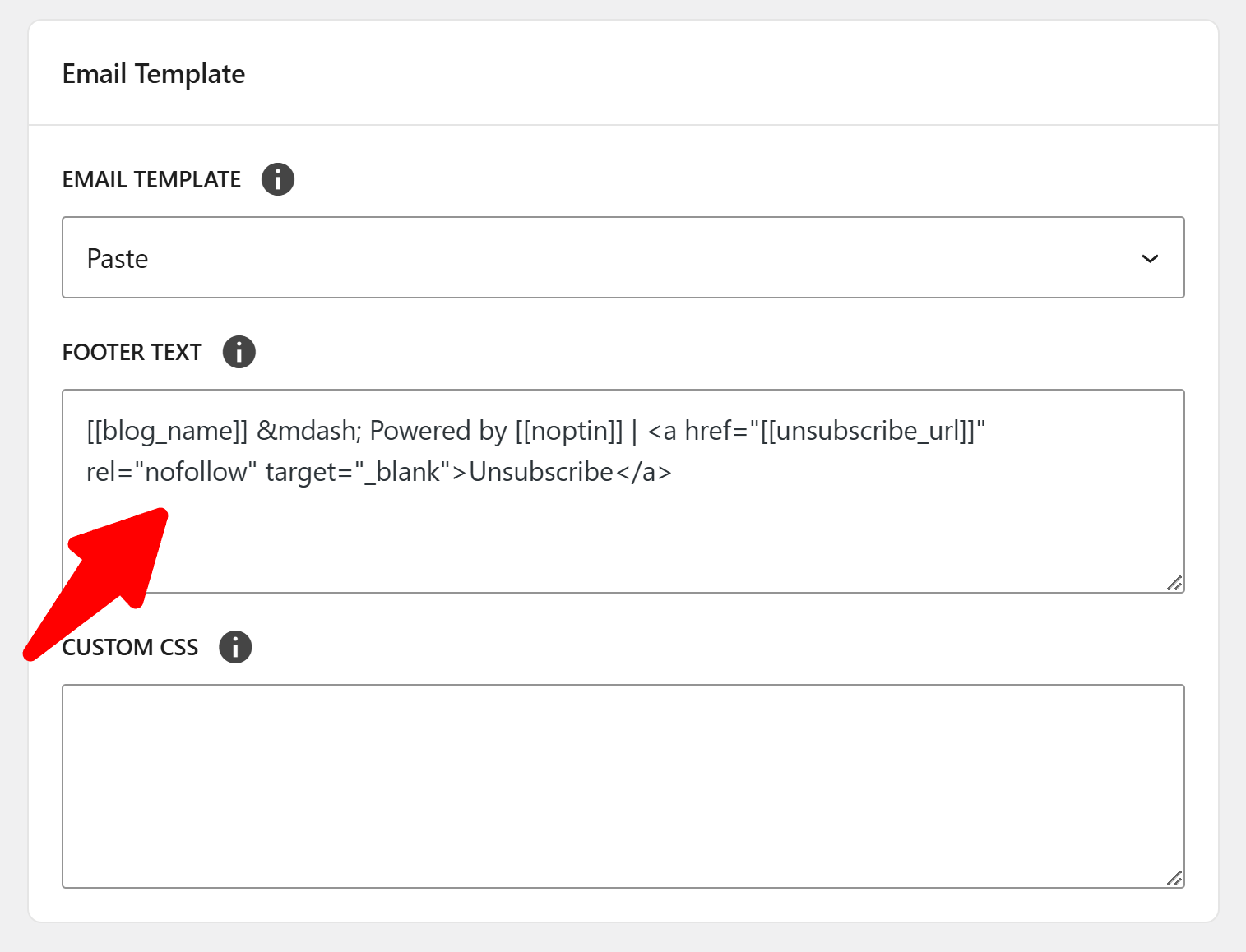
This includes:
- A visible unsubscribe link in the email body
- Support for one-click unsubscribe headers (List-Unsubscribe)
Noptin automatically includes both the unsubscribe link and unsubscribe header in newsletters. However, it is important to ensure the link works correctly and processes requests promptly.
Requirement 3: Low Spam Complaint Rate
Google and Yahoo now enforce a strict user-reported spam rate threshold of 0.3%. This means that if just 3 out of every 1,000 people mark your email as spam, your domain reputation will be damaged, and your emails may stop being delivered entirely.
Ideally, you should aim to keep your spam rate below 0.1%.
If too many recipients mark your emails as spam, Gmail may:
- Throttle your sending speed
- Deliver future emails to spam
- Temporarily block your domain
To reduce complaints:
- Email only subscribers who opted in
- Avoid misleading subject lines
- Remove inactive subscribers regularly
- Honor unsubscribe requests immediately
Leave a Reply