
Noptin allows you to track revenue generated per email.
How to enable
- Go to Noptin > Settings in your WordPress dashboard.
- Click on the Emails tab.
- Scroll down to the Tracking section.
- Enable both the “Track campaign performance” and the “Track e-commerce revenue” switches as shown below.

The “Track e-commerce revenue” checkbox will only show up after you check the “Track campaign performance” checkbox.
How it works
- When someone clicks on a link in an email campaign and purchases something within 14 days, the email gets credited for the purchase.
- If the customer clicks on multiple email campaigns before making a purchase, only the last click is credited for the sale.
- This works for all email types, including newsletters, automated email types, and sequences.
- For recurring mass emails, such as new post notifications, lifetime values are stored with the main automation email, while the auto-generated newsletter only shows the revenue generated for the send.
- Revenue is only incremented after payment is complete.
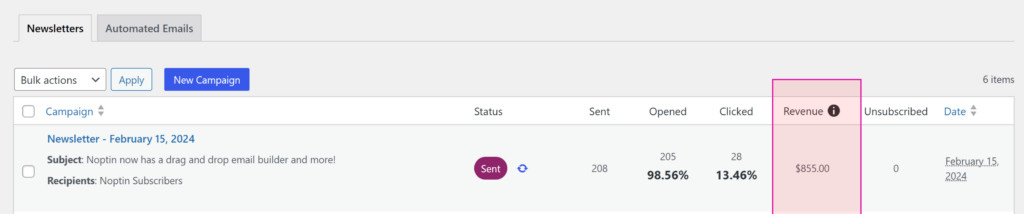
Noptin only tracks revenue if the sale was made within 14 days after a link is clicked.
You can use the following snippet to set a different number of days.
<?php
add_filter(
	'noptin_click_cookie_duration',
	function() {
		// 14 days.
		return 14 * 24 * 60 * 60;
	}
);
Replace 14 with the number of days you want to use.
Supported Plugins
Revenue is currently tracked for the following plugins:-
- WooCommerce.
- Hizzle Pay
- MemberPress
- Easy Digital Downloads (EDD)
Leave a Reply